Fixed Assets Software
Written by: John de Robeck • Published: May 26, 2016 • Updated: April 10, 2026
The Starting Point: What Add-On Modules Offer
Most leading finance systems and ERP platforms include a basic fixed asset module. At a minimum, this typically provides a register of assets, a limited range of standard depreciation methods, and some form of integration with the general ledger.
For organisations with a small number of assets, simple depreciation requirements and a single reporting entity, a basic module may be enough. The register holds the records, depreciation posts to the ledger, and the year-end reconciliation is manageable.
The question is what happens when the requirements move beyond the basics, which for most growing organisations they do sooner than expected.
Where Add-On Modules Fall Short
The fixed asset module in a finance system or ERP is typically not a core development priority for the vendor. It is typically not the primary focus of development compared to core ERP functionality. The result is a set of common limitations that become visible as the asset base grows, the reporting requirements become more complex, or the audit expectations increase.
Depreciation
Basic modules typically support straight-line and one or two other standard methods. Organisations that need reducing balance, declining balance, usage-based or user-defined methods across multiple books (for example, local GAAP, group reporting (e.g. IFRS) and tax) often find the add-on cannot accommodate them. Running parallel depreciation schedules for different reporting standards on the same asset is either unsupported or requires manual workarounds.
Asset tracking
Most ERP fixed asset modules are accounting tools, not tracking tools. They record financial data about an asset but do not track its physical location, condition or movement between sites. There is no barcode or RFID scanning capability, no mobile verification workflow, and no connection between the financial record and the physical asset. Organisations that need to conduct physical verification end up exporting data to spreadsheets to manage the count, then manually updating the register afterwards.
Capital work in progress
Managing assets under construction requires budget tracking, cost accumulation across multiple invoices and suppliers, periodic review by finance, and a controlled transfer to the live register when the asset is available for use. Most add-on modules offer no structured workflow for this. Costs are accumulated in a nominal code on the ledger, and the transfer to the fixed asset register is a manual journal entry with limited or no built-in audit trail.
Multi-entity and consolidation
Organisations with multiple legal entities, subsidiaries or international operations need a register that can hold assets by entity, run depreciation under different standards per entity, and produce a consolidated view. Basic modules are often structured around single-entity reporting. Managing multiple entities means maintaining separate instances of the module or building manual consolidation processes, both of which introduce error and audit risk.
Reporting
ERP fixed asset modules usually offer a limited set of standard reports. Organisations that need to report across dimensions such as asset class, location, cost centre, entity or project often find they cannot do so without extracting data into a spreadsheet. Once the data leaves the system, the audit trail becomes harder to maintain.
Audit trail
Add-on modules vary in the depth of audit trail they provide. Some log changes to asset records; many provide only limited coverage. A complete audit trail, covering every addition, disposal, transfer, revaluation, impairment and depreciation run with timestamps and user identities, is essential for audit readiness. Without it, auditors must reconstruct the history of changes from journal entries and manual documentation, which extends the audit and increases the risk of qualification.
Beyond the basics of fixed assets
The basics of an asset register are simple enough and if you are only tracking a small number of assets and using simple depreciation, then a basic fixed assets module will probably be sufficient. If you require a bit more from your system, then you need to consider a specialist package.
Here is a simple checklist of some of the most common issues with basic fixed asset add-on modules:
✓ Multiple companies – Do you need to manage assets across multiple legal entities?
✓ Multiple currencies – Do you need to report on and track assets using multiple currencies?
✓ Multiple books – Do you need to keep more than one set of books e.g. different lives for IFRS, UK and US GAAP?
✓ Asset events – Can your system handle all asset life cycle events such as partial disposals and revaluations?
✓ Maintenance – Do you need to track and manage preventative or reactive maintenance?
✓ Lease accounting – Do you need to track lease agreements for your assets?
The Spreadsheet in the Middle
In practice, many organisations that outgrow their add-on module do not move to specialist software immediately. Instead, they build spreadsheets to fill the gaps: a spreadsheet for capital work in progress, another for physical verification counts, another for multi-entity consolidation, another for the reports the module cannot produce.
This creates a parallel system. The register lives in the ERP, but the actual work happens in spreadsheets. Spreadsheets typically lack access controls, approval workflows, version management and a reliable audit trail. Reconciliation between the spreadsheets and the ledger becomes a monthly exercise that consumes finance time and introduces risk.
These spreadsheets are rarely planned as part of a structured process. It grows organically as the gaps in the add-on module become apparent. By the time someone raises the question of whether a specialist system would be more efficient, the spreadsheet has become embedded in the close process and difficult to remove without a structured migration.
What Specialist Fixed Asset Software Provides
Specialist fixed asset accounting software is built around the asset lifecycle, not bolted on to a transactional processing system. The difference shows in four areas.
Depth of accounting functionality
A purpose-built system handles the full range of depreciation methods (straight-line, reducing balance (declining balance), usage-based and user-defined) across multiple parallel books for different reporting standards. It manages componentisation, revaluations, impairments and disposals as structured transactions with full audit trails, not as manual journal entries.
FMIS, for example, supports depreciation across multiple books, entities and currencies within a single system, with support for common accounting and compliance frameworks (e.g. IFRS, GAAP, SORP and SOX).
Integration without dependency
Specialist software integrates with the finance system or ERP to post general ledger entries automatically. The integration means the ERP continues to do what it does best (transactional processing and ledger management) while the specialist system handles what it does best (asset lifecycle accounting). Neither system is forced into a role it was not designed for.
This also means the organisation is not locked into a single vendor’s ecosystem. If the ERP changes, the fixed asset system continues to operate. If the fixed asset requirements change, the specialist system can be configured without affecting the ERP.
Tracking and verification built in
Specialist systems bring the financial record and the physical asset together. Barcode and RFID scanning, mobile tracking, and location management are part of the same platform. Physical verification results feed directly into the register rather than sitting in a disconnected spreadsheet. Ghost assets are identified systematically rather than discovered during audit.
Capital project management
Purpose-built capital project modules provide budget version control, requisition and purchase order processing, invoice matching with exception handling, and immediate visibility of budget vs commitment vs spend. When the project completes, the accumulated costs are capitalised and posted through to the fixed asset register in a single controlled step.
The Cost Question
A common concern is that specialist software costs more than using the add-on that is already included in the finance system licence. In some cases the add-on is technically “free” because it is bundled with the ERP.
The real cost comparison should include the time finance teams spend on manual workarounds, spreadsheet reconciliation, and extended audit fieldwork that result from the add-on’s limitations. It should include the risk of misstatement from manual depreciation calculations or broken audit trails. And it should include the opportunity cost of finance staff spending days on close tasks that a specialist system would reduce to hours.
For organisations with more than a few hundred assets, multiple entities, or complex reporting obligations, the total cost of operating with a limited add-on module plus spreadsheets often exceeds the cost of a specialist system.
When to Make the Move
Not every organisation needs specialist software from day one. A basic add-on module is a reasonable starting point for a small business with straightforward requirements.
The signals that the add-on has reached its limits tend to be consistent:
- The month-end close takes longer than it should because of manual fixed asset tasks.
- The reconciliation between the register and the general ledger requires a spreadsheet.
- Auditors are asking questions that the system cannot answer directly.
- Physical verification is managed entirely outside the register.
- Capital work in progress is tracked in spreadsheets rather than a structured workflow.
- Multi-entity reporting requires manual consolidation.
- The finance team is spending more time working around the system than working in it.
If several of these apply, the add-on has become a constraint rather than a tool, and the case for specialist software is already clear.
FMIS Fixed Assets is a powerful and flexible specialist asset accounting and tracking system. As part of the wider FMIS Enterprise Asset Management solution, FMIS Fixed Assets offers enhanced fixed asset tracking, accounting and life cycle management.
If you would like to know more about FMIS Fixed Assets or any of our other solutions, please get in touch with us via email or call us on +44 (0) 1227 773003
Summary
A finance system’s fixed asset add-on is designed to cover the basics: a register, simple depreciation, and a ledger posting. For many organisations, the basics are not enough. As the asset base grows, the reporting requirements become more complex, and audit expectations increase, the gaps in the add-on become gaps in controls.
Filling those gaps with spreadsheets introduces risk. Filling them with a specialist fixed asset accounting system significantly reduces it.
FMIS is a purpose-built fixed asset accounting, tracking and lease accounting platform used by organisations in over 40 countries. It integrates with leading finance systems and ERPs to provide additional depth of functionality beyond standard add-on modules. To find out more, contact us or arrange a demonstration.
Share this entry

What is new in FMIS Fixed Assets version 12.47
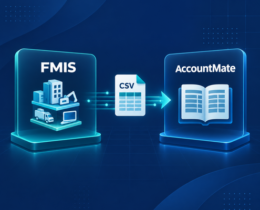
AccountMate Fixed Asset Integration with FMIS

Asset Depreciation Methods Explained for UK Businesses

How to Conduct a Fixed Asset Audit: Step by Step