Migration, implementation and finance-system transfer
Moving an existing IFRS 16 portfolio into FMIS is a data and reconciliation exercise. It does not automatically mean adopting the standard again. Agree a migration date and the opening position before importing the records.
Prepare the lease information
Your team identifies the leases in scope and supplies the agreed accounting assumptions. FMIS can help agree the lease attributes to be held, system configuration and required outputs.
- Lease references, companies, asset descriptions, commencement dates and assessed lease terms.
- Payment amounts, timing, frequency, incentives, direct costs and agreed discount rates.
- Existing adjustments, supporting documents, analysis codes and asset references where records need to be linked.
Validate the starting position
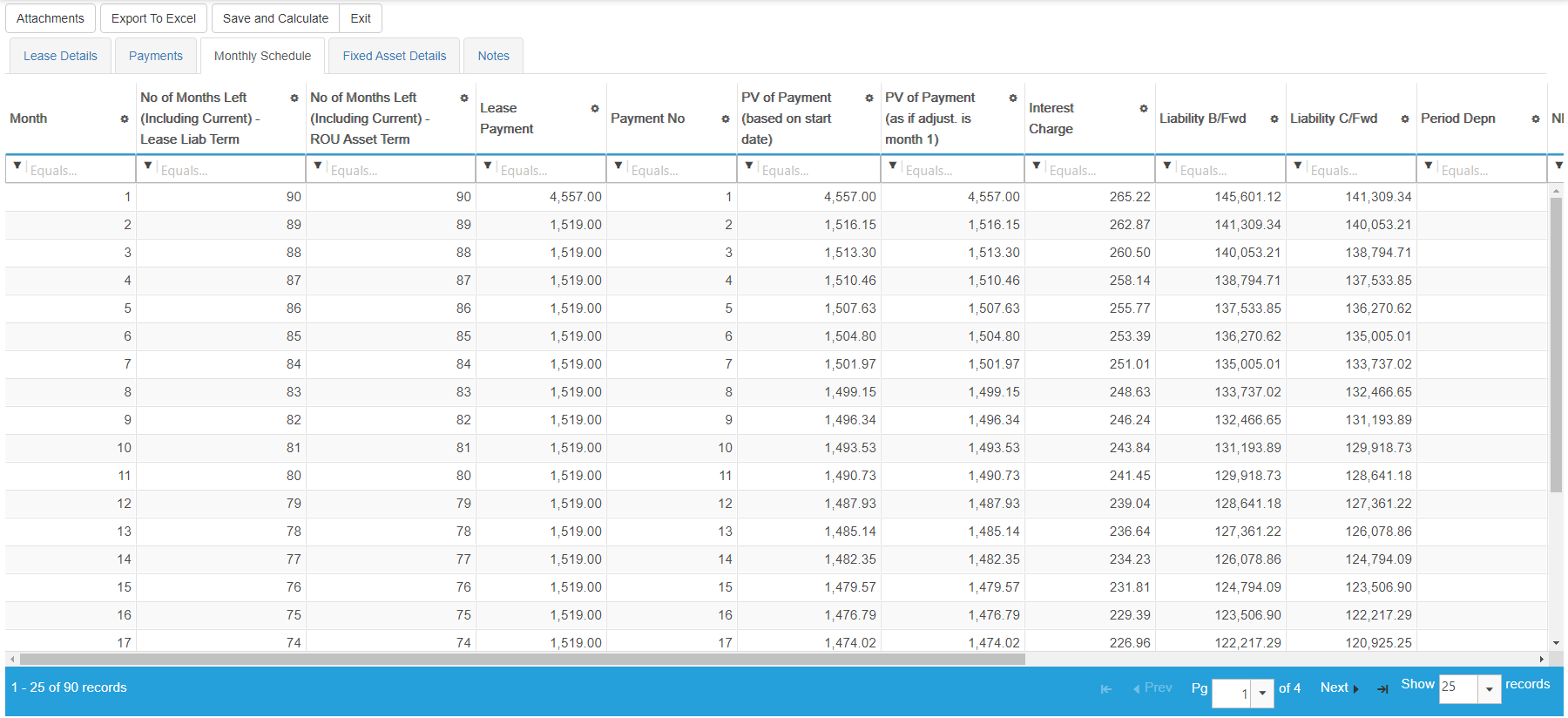
FMIS provides Excel import templates that reflect the configured fields and identifies row-level import errors. Agree how existing leases will be brought in, then reconcile the lease population, liability balances, ROU carrying values and reporting outputs with the source records and general ledger.
Configure the process and train the team
Implementation can cover company structures, analysis codes, reporting periods, user permissions, lease-to-asset links and GL mappings. Test representative leases, adjustments, reporting and posting outputs before the first live close. Training should cover the people maintaining records and those reviewing the figures.
Transfer postings into your finance system
Agree the account codes, file format and transfer process for your accounting or ERP system. The standard capability is configurable posting output; a direct interface depends on the destination system and the agreed scope. Review how payment and depreciation entries are currently produced so that postings are not duplicated.