
Written by: Hannah Bowman • Published: July 8, 2019 • Updated: September 24, 2026

Written by: Hannah Bowman • Published: July 8, 2019 • Updated: September 24, 2026
To manage a multi-level bill of materials for Deltek Vantagepoint or Vision, create and maintain the assembly structure in FMIS as part of an integrated materials management workflow. FMIS handles component requirements, stock allocation, replenishment and production work orders, extending Deltek’s project-focused purchasing and inventory capabilities.
A bill of materials, or BOM, defines the components and quantities required to make or assemble an item. A multi-level BOM also describes the components within its subassemblies.
For example, an equipment package might contain an enclosure, cables and a sensor assembly. The sensor assembly can have its own BOM containing sensors, brackets and connectors.
The BOM defines what is needed. Connected stock, purchasing and production processes establish what is available, what needs to be bought or made, and how the finished item will be produced.
Deltek Vantagepoint and Vision do not provide a dedicated native workflow for creating multi-level manufacturing bills of materials and turning their components into finished items. Their purchasing and inventory functions support the needs of project-based professional services organisations.
These functions can include item records, purchase requisitions, requests for quotation, purchase orders, receiving, inventory quantities and locations, and purchasing approvals. The distinction is the ability to manage component relationships and the production activity needed to build an assembly.
FMIS adds this materials management capability for organisations whose projects involve physical products, equipment packages, fabrication or assembly.
The workflow starts with the assembly structure in FMIS, then connects material requirements to stock, replenishment and production. The precise setup depends on the BOM type and the organisation’s configured processes.

The FMIS Production Work Order connects a manufactured item and its project details to the components required for production.
No. FMIS can allocate available stock before replenishing shortages. Depending on configuration, stock held at another location may also be considered, with a transfer where required. This connects purchasing decisions to the materials already available.

A replenishment batch identifies outstanding component demand and supports separate replenishment processes for bought and manufactured items.
No. The workflow depends on the BOM type. An item bought as a complete assembly does not require FMIS to manufacture its components. Kits and manufactured items have different processing rules, so the appropriate type should be established during setup.
An equipment package illustrates how a multi-level BOM connects stock and production requirements. In this example, the package contains an enclosure, cables and a sensor assembly. The sensor assembly contains sensors, brackets and connectors.
The team has the enclosure and cables in stock, but needs to manufacture the sensor assembly and purchase some connectors.
This is an illustrative workflow. The order of allocation, purchasing and production activities depends on the organisation’s configuration and operating requirements.
Integrated BOM management helps teams connect an assembly’s component requirements to the stock and production activity needed to fulfil a project. This becomes particularly useful when several projects require the same materials or when assemblies contain multiple levels of subassemblies.
Start with a representative bill of materials and the process used to fulfil it. This helps establish the item structures, stock controls, production steps and integration requirements that need to be configured.
For eligible manufactured items, FMIS supports changes that reverse the original stock postings, allow component allocations to be adjusted and repost the stock movements on completion. The available process depends on the item and BOM type; it should not be assumed that every assembly can be changed in the same way.

Eligible manufactured assemblies can be reopened so that component allocations and associated stock postings can be adjusted.
FMIS extends Deltek Vantagepoint and Vision with the materials processes needed for stock-intensive and assembly-based project work. Deltek remains the project management and accounting platform, while FMIS supports the associated component, stock, purchasing and production workflows.
Learn more about FMIS materials management for Deltek Vantagepoint and Vision.
Is the bill of materials maintained in FMIS or Deltek Vantagepoint?
The bill of materials is maintained in FMIS. FMIS manages the component structure and associated stock, replenishment and production processes, while Deltek Vantagepoint provides the project management and accounting environment. The project references and transactions exchanged between the systems should be agreed as part of the integration setup.
Can FMIS manage multi-level bills of materials?
Yes. FMIS supports assemblies that contain manufactured subassemblies with their own component requirements. Separate work orders can be used to produce those subassemblies before they are incorporated into the finished item. This supports projects where a single-level component list does not adequately describe the production requirement.
What is the difference between a kit and a manufactured item?
A kit groups components for supply together, while a manufactured item uses a production process to consume components and create a finished stock item. FMIS applies different processing rules to kits, kits with work orders and manufactured items. The appropriate type depends on how the organisation supplies or builds the product.
Can FMIS use existing stock before ordering more components?
Yes. Available components can be allocated to the requirement before shortages are replenished. The configured process can include first-in, first-out allocation or manual selection of serialised stock. Replenishment considers outstanding requirements alongside relevant stock and receipt information, helping the team determine what still needs to be bought or made.
Can a completed manufactured assembly be changed?
Eligible manufactured assemblies can be changed through a process that reverses the original stock postings, allows component allocations to be adjusted and reposts the movements on completion. Restrictions depend on the BOM type and item status. Work order edits do not use the purchasing approval workflow, so change controls should be considered separately.
Does FMIS also support bills of materials for Deltek Vision?
Yes. FMIS provides materials management functionality for Deltek Vision as well as Deltek Vantagepoint. This includes component structures and the associated stock, replenishment and production processes. The implementation should establish the organisation’s required workflows and confirm the integration scope for its Deltek environment.
A representative bill of materials is a useful starting point for assessing your requirements. To discuss how your components, stock and production processes could work with Deltek Vantagepoint or Vision, request an FMIS demonstration.
 https://www.fmis.co.uk/wp-content/uploads/2026/09/FMIS-Lease-Accounting-version-12.47-product-update.webp
396
495
John de Robeck
https://www.fmis.co.uk/wp-content/uploads/2026/04/FMISNavyTeal-1-150x80-1.webp
John de Robeck2026-09-17 15:14:582026-09-17 15:15:01What is new in FMIS Lease Accounting version 12.47
https://www.fmis.co.uk/wp-content/uploads/2026/09/FMIS-Lease-Accounting-version-12.47-product-update.webp
396
495
John de Robeck
https://www.fmis.co.uk/wp-content/uploads/2026/04/FMISNavyTeal-1-150x80-1.webp
John de Robeck2026-09-17 15:14:582026-09-17 15:15:01What is new in FMIS Lease Accounting version 12.47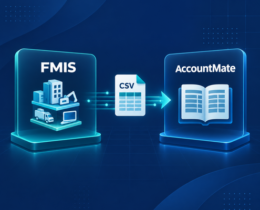 https://www.fmis.co.uk/wp-content/uploads/2026/09/FMIS-AccountMate-Integration-for-FMIS-Fixed-Assets.webp
450
495
John de Robeck
https://www.fmis.co.uk/wp-content/uploads/2026/04/FMISNavyTeal-1-150x80-1.webp
John de Robeck2026-09-09 17:48:582026-09-21 18:12:04AccountMate Fixed Asset Integration with FMIS
https://www.fmis.co.uk/wp-content/uploads/2026/09/FMIS-AccountMate-Integration-for-FMIS-Fixed-Assets.webp
450
495
John de Robeck
https://www.fmis.co.uk/wp-content/uploads/2026/04/FMISNavyTeal-1-150x80-1.webp
John de Robeck2026-09-09 17:48:582026-09-21 18:12:04AccountMate Fixed Asset Integration with FMIS https://www.fmis.co.uk/wp-content/uploads/2026/03/Book-Value-Accumulated-Depreciation.webp
450
500
John de Robeck
https://www.fmis.co.uk/wp-content/uploads/2026/04/FMISNavyTeal-1-150x80-1.webp
John de Robeck2026-08-27 12:50:062026-09-28 05:18:31Net Book Value (NBV) Explained : Formula, Calculation, and Examples
https://www.fmis.co.uk/wp-content/uploads/2026/03/Book-Value-Accumulated-Depreciation.webp
450
500
John de Robeck
https://www.fmis.co.uk/wp-content/uploads/2026/04/FMISNavyTeal-1-150x80-1.webp
John de Robeck2026-08-27 12:50:062026-09-28 05:18:31Net Book Value (NBV) Explained : Formula, Calculation, and Examples https://www.fmis.co.uk/wp-content/uploads/2026/08/what-is-capital-allowance.webp
450
500
John de Robeck
https://www.fmis.co.uk/wp-content/uploads/2026/04/FMISNavyTeal-1-150x80-1.webp
John de Robeck2026-08-27 12:49:562026-09-28 05:12:35Capital Allowances Explained: A UK Guide for Businesses
https://www.fmis.co.uk/wp-content/uploads/2026/08/what-is-capital-allowance.webp
450
500
John de Robeck
https://www.fmis.co.uk/wp-content/uploads/2026/04/FMISNavyTeal-1-150x80-1.webp
John de Robeck2026-08-27 12:49:562026-09-28 05:12:35Capital Allowances Explained: A UK Guide for Businesses


 When to outsource your fixed assets inventory