What Should an Accurate Asset Register Contain?
At minimum, an accurate asset register should contain a unique identifier or tag, a clear description and category, a serial number where relevant, its location, the responsible person or department, its condition and status, and key lifecycle dates. For capitalised assets, it should also include cost, depreciation and other relevant accounting information.
Each field serves a clear purpose. The unique identifier links the record to a physical asset or tag, while the description, category and serial number help distinguish similar items. Responsibility and location support accountability across sites, and condition and status show whether an asset is in use, in storage, under repair or disposed of. Where an item is capitalised, cost and depreciation information support the accounting records.
For a complete breakdown of register fields and structure, read the complete guide to fixed asset registers. This article focuses on the routine that keeps those fields correct over time, rather than on the structure of the register itself.
Asset Register Example: What a Single Record Looks Like
A single operational record is easier to picture than a list of field names. A typical entry might read: identifier FMIS-IT-0481; description Dell Latitude laptop, IT equipment category; serial number 7HK2QM3; location Manchester office, second floor; responsible person A. Clements, Finance; condition good; status in use; acquired 14 March 2026; last verified 2 September 2026. Where the asset is capitalised, the same record would also carry its cost, depreciation method and rate.
The value is in the consistency, not the detail. If every record follows the same pattern, duplicates stand out, searches return the right asset, and a physical verification can be completed without interpretation. Records that vary from one entry to the next are what make a register slow to use and hard to trust.
How Do You Keep an Asset Register Up to Date?
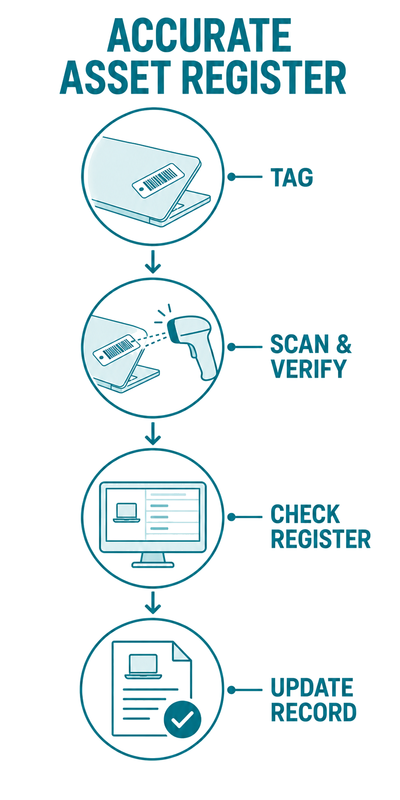
You keep an asset register up to date by capturing every change to an asset the moment it happens and confirming the record against reality on a set schedule. The maintenance cycle has five recurring steps.
- Record every acquisition. Add each new asset with its full details before it goes into use, not weeks later.
- Log every transfer. Update location and responsible owner whenever an asset moves between people, teams or sites.
- Capture every disposal. Mark assets that are sold, scrapped or written off as disposed of or retired, retain the historical record, and record the disposal date, reason and authorisation where relevant.
- Scan on the move. Use mobile scanning so field updates reach the register promptly rather than through paperwork.
- Reconcile on a cycle. Compare the register against physical checks on a risk-based schedule, using regular rolling or sample checks for higher-risk assets and a full verification at least annually where appropriate.
The order matters less than the consistency. A team that captures acquisitions but forgets disposals ends up with a register that only grows, filling with assets that no longer exist. A team that logs everything but never reconciles has no way to catch the changes that slipped through. The five steps work as a set, and skipping one weakens the rest.
How Often Should You Reconcile an Asset Register?
Most organisations should reconcile their asset register at least once a year, with high-value or high-movement assets checked more frequently. A full annual verification supports the year-end accounts, while more frequent sample checks on critical assets keep errors from building up unnoticed.
The right frequency depends on how quickly assets move and how tightly they are regulated. A university IT department issuing hundreds of laptops needs more frequent checks than an office with fixed equipment. A construction firm moving tools between sites daily needs tighter control than a law firm whose assets rarely leave the building. Set the cycle to the risk, not to a calendar habit.
Barcode or QR scanning makes frequent reconciliation more practical, because a physical count that once took days can often be completed in a fraction of the time. When reconciliation is quicker, it becomes a routine check rather than a dreaded annual event, which is what keeps a register accurate.
A useful pattern is rolling reconciliation. Rather than counting everything at once, verify a portion of the register each month so that the whole is covered across the year, with the highest-value assets checked more often. Rolling reconciliation spreads the effort, avoids halting operations for a single large count, and means errors surface within weeks rather than at the next year end. It also builds the habit of checking, which is what stops a register slipping in the first place.
What Causes an Asset Register to Become Inaccurate?
An asset register becomes inaccurate for four common reasons: disposals are not recorded, transfers happen without an update, the same asset is entered twice, and manual data entry introduces errors. Each one is preventable with a consistent maintenance routine and scan-based updates.
- Unrecorded disposals leave sold or scrapped assets on the register, creating ghost assets.
- Untracked transfers mean the register shows the wrong location or responsible owner.
- Duplicate entries inflate asset counts and can overstate asset values or depreciation.
- Manual keying introduces typos in values, dates and identifiers.
These four causes share a root: a reliance on people remembering to do something manual at a moment when they are busy with their actual job. A consultant returning a laptop is thinking about their next meeting, not about updating a spreadsheet. The more the register depends on that kind of discretionary effort, the faster it drifts. Reducing manual entry by scanning at the point of action lowers the risk of errors, although the process still depends on people following the agreed procedure.
Unrecorded disposals are a common cause of ghost assets, which can overstate asset values or depreciation and may affect insurance records. Recording disposals promptly can also reduce the investigation needed during a physical asset audit.
Who Is Responsible for Maintaining the Asset Register?
Responsibility for an asset register depends on its purpose. Finance will often own a fixed asset accounting register, while an operational register may sit with IT, facilities, operations or a dedicated asset management team. Clear overall ownership and shared, mobile-friendly access allow the relevant teams to work from the same record without duplication.
Problems arise when responsibility is split without clarity. If finance assumes operations logs disposals, and operations assumes finance does, disposals get missed by both. The fix is to name one owner of the register overall, then define who updates which fields. Finance should govern the accounting fields for capitalised assets, while the teams responsible for assets should maintain agreed operational fields such as location and status. A shared system allows everyone to work from the same record rather than emailing spreadsheets back and forth.
It helps to write this down as a short policy: who adds new assets, who signs assets in and out, who authorises disposals, and how often each site reconciles. A one-page policy removes the ambiguity that causes gaps, and it gives new starters a clear reference. The policy does not need to be elaborate. It needs to be known, followed and reviewed, so that maintaining the register is a shared habit rather than one person’s forgotten responsibility.
Asset Register Maintenance Best Practice
The best practice for asset register maintenance is to capture changes at source, standardise how assets are described, tag all in-scope assets where practical, and review the register on a fixed schedule. These four habits prevent the most common causes of inaccuracy before they take hold.
- Capture at source: record acquisitions, transfers and disposals at the moment they happen, not in a monthly catch-up that never happens.
- Standardise descriptions: agree a naming convention so the same type of asset is always described the same way, which makes duplicates easy to spot.
- Tag in-scope assets where practical: give each relevant asset a physical barcode, QR code or RFID tag so it can be scanned and verified rather than searched for by hand.
- Review on a schedule: set reconciliation dates in advance and treat them as fixed, so the register is checked before problems accumulate.
Best practice is less about sophistication and more about consistency. An organisation that does these four simple things reliably will have a more accurate register than one with advanced software used sporadically. The habit is the asset, not the tool.
For broader context, the international standard ISO 55000:2024 describes asset management as the coordinated activity of realising value from assets across their lifecycle. A well-maintained register can support that broader approach, but the standard covers considerably more than register maintenance alone, and this reference is context only: it does not indicate that FMIS or any organisation named here is certified to or fully compliant with the standard.
How Can Tracking Tools Help Maintain the Register?
Tracking tools can make the maintenance routine easier by capturing scans promptly, applying data validation, maintaining an event history and supporting comparison of physical counts with the register. This reduces manual effort and the risk of errors, but it does not remove the need for clear procedures and oversight.
The single biggest advantage is that updates happen at the point of action. When a custodian scans an asset, the software can retrieve the correct record and support check-in or check-out without rekeying the asset identifier. Disposal workflows can update the asset’s status and preserve the event history rather than relying on a later spreadsheet amendment. This makes register maintenance a more natural part of everyday work.
A connected system can also reduce duplication and reconciliation issues between tracking and accounting. Where operations and finance use a shared asset record, changes are less likely to be missed or applied inconsistently, although appropriate controls and periodic reconciliation are still required.
Spreadsheet vs Software for Asset Register Maintenance
A spreadsheet can hold an asset register, but maintenance becomes increasingly manual and difficult to control as asset volumes and movements grow. Dedicated asset software can support a more accurate register through scanning, data validation, event histories and integration with fixed asset accounting where required.
Spreadsheets suit very small asset counts and single sites. As soon as assets move between sites or people, the manual updates fall behind and the register drifts. A spreadsheet does not normally provide a purpose-built asset audit trail, scan-based verification or controlled accounting integration by default. Although these capabilities can sometimes be added through version history, integrations or bespoke workflows, they become harder to manage as the register grows in scale or complexity.
Dedicated software removes most of the manual effort. Scanning can update records quickly, validation can reduce missing data, and integration with accounting records can reduce duplication and reconciliation differences. To understand how scan-based tracking keeps the record current, see the complete guide to asset tracking.