Accessibility
FMIS Accessibility Statement, contact details and additional information

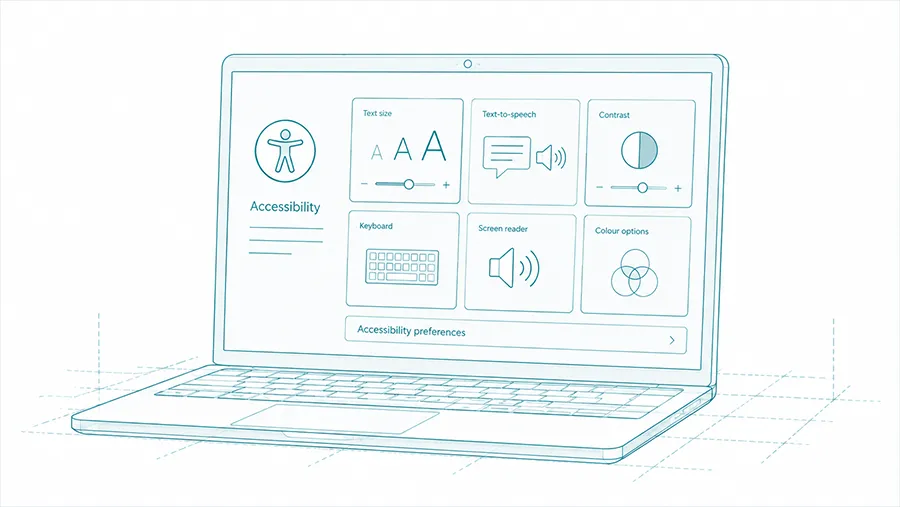
FMIS is committed to making its software accessible to as many people as possible.
The FMIS Asset Management Platform has been independently tested against the Web Content Accessibility Guidelines, WCAG 2.2, at Level AA. Our accessibility approach considers keyboard navigation, screen readers, speech recognition, screen magnification, colour contrast and content structure.

If you have questions about security, data protection, or require documentation for a review, get in touch with our team.
Email our team Privacy policy Cookie policy
The FMIS Asset Management Platform is compliant with the Web Content Accessibility Guidelines version 2.2 AA standard.
WCAG provides an internationally recognised framework for making websites and digital services more accessible to people with disabilities. Level AA covers a broad range of requirements relating to content presentation, navigation, keyboard access, interaction and compatibility with assistive technologies.

The platform has been independently tested by external accessibility and software testing specialists.
The assessment used the WCAG Evaluation Methodology, WCAG-EM, to define the pages, user journeys and testing approach. Testing included a representative selection of core FMIS processes and was completed using a range of assistive technologies and browsers.

The accessibility assessment included testing with:
JAWS, NVDA and VoiceOver screen readers
keyboard-only navigation
Windows Magnifier
Dragon NaturallySpeaking
TalkBack and iOS VoiceOver on mobile devices
The platform supports functions including keyboard navigation, screen reader access, text resizing and changes to colours, contrast levels and fonts.

FMIS reviews the accessibility of the Asset Management Platform at least annually as part of our Information Security Management System.
We also consider:
changes to relevant accessibility legislation
updates to WCAG
recognised industry good practice
material changes to the FMIS platform
Additional reviews may be completed where changes to the software require them.
Please contact us if you experience an accessibility problem, require information in a different format or believe we are not meeting an accessibility requirement.
Email: support@fmis.co.uk
Telephone: +44 (0) 1227 773003
We aim to respond to accessibility enquiries within five working days.
 https://www.fmis.co.uk/wp-content/uploads/2026/09/FMIS-Lease-Accounting-version-12.47-product-update.webp
396
495
John de Robeck
https://www.fmis.co.uk/wp-content/uploads/2026/04/FMISNavyTeal-1-150x80-1.webp
John de Robeck2026-09-17 15:14:582026-09-17 15:15:01What is new in FMIS Lease Accounting version 12.47
https://www.fmis.co.uk/wp-content/uploads/2026/09/FMIS-Lease-Accounting-version-12.47-product-update.webp
396
495
John de Robeck
https://www.fmis.co.uk/wp-content/uploads/2026/04/FMISNavyTeal-1-150x80-1.webp
John de Robeck2026-09-17 15:14:582026-09-17 15:15:01What is new in FMIS Lease Accounting version 12.47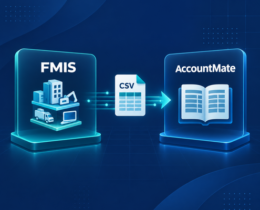 https://www.fmis.co.uk/wp-content/uploads/2026/09/FMIS-AccountMate-Integration-for-FMIS-Fixed-Assets.webp
450
495
John de Robeck
https://www.fmis.co.uk/wp-content/uploads/2026/04/FMISNavyTeal-1-150x80-1.webp
John de Robeck2026-09-09 17:48:582026-09-21 18:12:04AccountMate Fixed Asset Integration with FMIS
https://www.fmis.co.uk/wp-content/uploads/2026/09/FMIS-AccountMate-Integration-for-FMIS-Fixed-Assets.webp
450
495
John de Robeck
https://www.fmis.co.uk/wp-content/uploads/2026/04/FMISNavyTeal-1-150x80-1.webp
John de Robeck2026-09-09 17:48:582026-09-21 18:12:04AccountMate Fixed Asset Integration with FMIS https://www.fmis.co.uk/wp-content/uploads/2026/03/Book-Value-Accumulated-Depreciation.webp
450
500
John de Robeck
https://www.fmis.co.uk/wp-content/uploads/2026/04/FMISNavyTeal-1-150x80-1.webp
John de Robeck2026-08-27 12:50:062026-09-28 05:18:31Net Book Value (NBV) Explained : Formula, Calculation, and Examples
https://www.fmis.co.uk/wp-content/uploads/2026/03/Book-Value-Accumulated-Depreciation.webp
450
500
John de Robeck
https://www.fmis.co.uk/wp-content/uploads/2026/04/FMISNavyTeal-1-150x80-1.webp
John de Robeck2026-08-27 12:50:062026-09-28 05:18:31Net Book Value (NBV) Explained : Formula, Calculation, and Examples https://www.fmis.co.uk/wp-content/uploads/2026/08/what-is-capital-allowance.webp
450
500
John de Robeck
https://www.fmis.co.uk/wp-content/uploads/2026/04/FMISNavyTeal-1-150x80-1.webp
John de Robeck2026-08-27 12:49:562026-09-28 05:12:35Capital Allowances Explained: A UK Guide for Businesses
https://www.fmis.co.uk/wp-content/uploads/2026/08/what-is-capital-allowance.webp
450
500
John de Robeck
https://www.fmis.co.uk/wp-content/uploads/2026/04/FMISNavyTeal-1-150x80-1.webp
John de Robeck2026-08-27 12:49:562026-09-28 05:12:35Capital Allowances Explained: A UK Guide for Businesses
