FMIS Software
  • Home
  • Solutions
    • Fixed Asset Management Systems
      • Capital Projects
      • Enterprise Asset Management
      • Fixed Asset Management Software
    • Asset Tracking
      • Barcode Tracking
      • FMIS Mobile Asset Manager
    • Purchase to Pay
      • Purchase Order Processing
      • Sales Order Processing
    • Stock and Inventory
      • Kitting and Assembly
      • Material Requirements Planning (MRP)
      • Production Control
    • Equipment Maintenance
      • Field Service Management
    • Lease Accounting
      • Order Management
  • Market Sectors
    • Commercial and Retail
    • Education
    • Government
    • Health
    • Manufacturing
    • Non-Profit
    • Oil, Gas and Energy
  • Partners
    • Deltek
    • Find a partner
    • Become a Partner
  • Resources
    • Trust Centre
    • News and articles
    • Case studies
    • Fixed asset management guide
  • About us
  • Contact
    • Request a demo
    • Pricing
    • Product information
    • Customer Support
    • Careers
    • Training Feedback
  • Click to open the search input field Click to open the search input field Search
  • Menu Menu
You are here: Home1 / Solutions2 / Asset Tracking3 / Guide to Choosing Fixed Asset Management Software

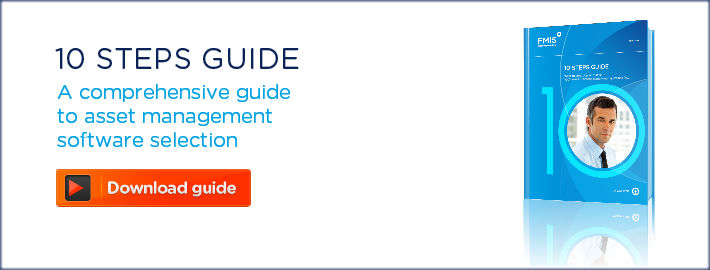
fixed asset management software guide- 10 steps guide

Guide to Choosing Fixed Asset Management Software

Written by: John de Robeck • Published: June 10, 2014 • Updated: May 28, 2026

10 steps to follow and 10 questions you need to ask

10 Steps Fixed Asset Management Software Guidefixed asset management software guide software - Download guide
Choosing the right fixed asset management and tracking software for your business can be a complicated process, so we have put together the 10 Steps Asset Management Software Guide to help guide you it. The number of different solutions and providers can make finding the right option pretty difficult if you are not sure what you need. Over 25 years’ experience in providing a range of leading asset management software and solutions have highlighted the importance of asking the right questions before you start. Now we have condensed all these into one comprehensive guide. We’ll cover the 10 simple steps to take and the 10 tough questions you need to ask when choosing asset management software.

10 simple steps

Changing any system can be daunting, particularly when it needs to be closely integrated with other existing systems. Our experience is that breaking down the process into a number of steps makes the transition manageable, far more likely to go smoothly and easier to schedule. These 10 steps will help ensure that you have considered not only the immediate issues, but that your ultimate asset management system meets the long term needs of your business.

  • Step 1 Understand the need
  • Step 2 Pick a partner not a product
  • Step 3 Map the asset life cycle
  • Step 4 Decide how to code your assets
  • Step 5 Select an asset management system
  • Step 6 Integrate related systems
  • Step 7 Decide how best to use barcoding
  • Step 8 Audit and reconcile
  • Step 9 Implement with care and assistance
  • Step 10 Maintain, maintain, maintain!

10 Tough questions

A good salesman can make almost any product look like a great option in a quick one off demo, but making the right long term decision when choosing asset management software means asking the tough questions that aren’t always answered in the brochure. If the product is really up to the task, the provider won’t mind going through these 10 tough questions:

  • Q1 How easy is it to use and how easy is it to maintain?
  • Q2 Are all depreciation methods supported – for every country, legal entity and requirement?
  • Q3 Is the system multi-company, multi-currency and multi-book?
  • Q4 Can the system be tuned to reflect my own specific requirements?
  • Q5 Are reporting and enquiry facilities comprehensive, flexible and easy to use?
  • Q6 Can the system handle real-life mistakes and problems?
  • Q7 Will it work with my existing systems and be accessible from any location?
  • Q8 Does the system cover each and every aspect of asset management?
  • Q9 Can the system be used for budgeting and forecasting?
  • Q10 How exactly does month end work?

fixed asset management software guide software - Download guide

For more information on asset management software or FMIS’ range of products, please see our product pages or contact one of the team directly at sales@fmis.co.uk or on +44 (0) 1227 773003.

Please enter the details below and then click the download guide button†

†Your privacy is important to us, we will not pass your data outside of the business.
    Your Name*

    Your Company*

    Your Email*

    * Required fields

    Asset Management Compliance

    Asset Management Compliance: How Asset Management Software Can Help

    August 30, 2023
    3 Asset management project killers

    The 3 big asset management project killers and how to avoid them

    March 25, 2015
    Capital Asset Management

    What is Capital Asset Management Software? (CAM)

    December 9, 2024
    Best Practice in Fixed Asset Management

    Best Practices in Fixed Asset Management

    March 18, 2024

    Support Icon
    Can we help?
    Book a demo View products Contact support
    Or call: +44 (0) 1227 773003
    Mon–Fri, 9:00–17:00 (BST/GMT)

    Explore More

    • FMIS awarded G-Cloud 15 supplier status
    • Indexation in UK Public Sector Fixed Asset Accounting
    • Why the UK Public Sector Is Moving from Fixed Assets to Non Current Assets
    • Preparing for Charities SORP Lease Accounting Changes 2026
    • FRS 102 lease accounting changes 2026: what UK organisations need to know

    SOLUTIONS

    • Fixed Asset Management Systems
    • Asset Tracking
    • Purchase to Pay
    • Order Management
    • Equipment Maintenance
    • Lease Accounting
    • Stock and Inventory
    • View all solutions

    Home › Guide to Choosing Fixed Asset Management Software

    Market Sectors

    • Commercial and Retail
    • Education
    • Local and Central Government
    • NHS and Health
    • Manufacturing
    • Non-profit
    • Oil, Gas and Energy

    FOLLOW US

    FMIS Twitter FMIS Linkedin

    CONTACT US

    FMIS Ltd
    167b John Wilson Business Park
    Whitstable
    Kent
    CT5 3RA
    United Kingdom

    Phone:+44 (0) 1227 773003
    Fax:+44 (0) 1227 773005
    Sales:sales@fmis.co.uk
    Support:support@fmis.co.uk

    Copyright © 2024 - All rights reserved www.fmis.co.uk
    • Privacy Policy
    • Cookie Policy
    Link to: Fixed Assets v11 release Link to: Fixed Assets v11 release Fixed Assets v11 releaseFixed Asset management software V11 update Link to: 5 reasons to beware of the fixed asset spreadsheet Link to: 5 reasons to beware of the fixed asset spreadsheet Excel spreadsheets vs Asset Tracking software5 reasons to beware of the fixed asset spreadsheet
    Scroll to top
    We use cookies on our website to give you the most relevant experience by remembering your preferences and repeat visits. By clicking “Accept All”, you consent to the use of ALL the cookies. However, you may visit "Cookie Settings" to provide a controlled consent.
    Cookie SettingsAccept All
    Manage consent

    Privacy Overview

    This website uses cookies to improve your experience while you navigate through the website. Out of these, the cookies that are categorized as necessary are stored on your browser as they are essential for the working of basic functionalities of the website. We also use third-party cookies that help us analyze and understand how you use this website. These cookies will be stored in your browser only with your consent. You also have the option to opt-out of these cookies. But opting out of some of these cookies may affect your browsing experience.
    Necessary
    Always Enabled
    Necessary cookies are absolutely essential for the website to function properly. These cookies ensure basic functionalities and security features of the website, anonymously.
    CookieDurationDescription
    cookielawinfo-checkbox-advertisement1 yearSet by the GDPR Cookie Consent plugin, this cookie is used to record the user consent for the cookies in the "Advertisement" category .
    cookielawinfo-checkbox-analytics11 monthsThis cookie is set by GDPR Cookie Consent plugin. The cookie is used to store the user consent for the cookies in the category "Analytics".
    cookielawinfo-checkbox-functional11 monthsThe cookie is set by GDPR cookie consent to record the user consent for the cookies in the category "Functional".
    cookielawinfo-checkbox-necessary11 monthsThis cookie is set by GDPR Cookie Consent plugin. The cookies is used to store the user consent for the cookies in the category "Necessary".
    cookielawinfo-checkbox-others11 monthsThis cookie is set by GDPR Cookie Consent plugin. The cookie is used to store the user consent for the cookies in the category "Other.
    cookielawinfo-checkbox-performance11 monthsThis cookie is set by GDPR Cookie Consent plugin. The cookie is used to store the user consent for the cookies in the category "Performance".
    CookieLawInfoConsent1 yearRecords the default button state of the corresponding category & the status of CCPA. It works only in coordination with the primary cookie.
    PHPSESSIDsessionThis cookie is native to PHP applications. The cookie is used to store and identify a users' unique session ID for the purpose of managing user session on the website. The cookie is a session cookies and is deleted when all the browser windows are closed.
    viewed_cookie_policy11 monthsThe cookie is set by the GDPR Cookie Consent plugin and is used to store whether or not user has consented to the use of cookies. It does not store any personal data.
    Functional
    Functional cookies help to perform certain functionalities like sharing the content of the website on social media platforms, collect feedbacks, and other third-party features.
    Performance
    Performance cookies are used to understand and analyze the key performance indexes of the website which helps in delivering a better user experience for the visitors.
    Analytics
    Analytical cookies are used to understand how visitors interact with the website. These cookies help provide information on metrics the number of visitors, bounce rate, traffic source, etc.
    CookieDurationDescription
    CONSENT2 yearsYouTube sets this cookie via embedded youtube-videos and registers anonymous statistical data.
    _ga2 yearsThe _ga cookie, installed by Google Analytics, calculates visitor, session and campaign data and also keeps track of site usage for the site's analytics report. The cookie stores information anonymously and assigns a randomly generated number to recognize unique visitors.
    _gat_UA-48954022-11 minuteA variation of the _gat cookie set by Google Analytics and Google Tag Manager to allow website owners to track visitor behaviour and measure site performance. The pattern element in the name contains the unique identity number of the account or website it relates to.
    _gid1 dayInstalled by Google Analytics, _gid cookie stores information on how visitors use a website, while also creating an analytics report of the website's performance. Some of the data that are collected include the number of visitors, their source, and the pages they visit anonymously.
    Advertisement
    Advertisement cookies are used to provide visitors with relevant ads and marketing campaigns. These cookies track visitors across websites and collect information to provide customized ads.
    CookieDurationDescription
    VISITOR_INFO1_LIVE5 months 27 daysA cookie set by YouTube to measure bandwidth that determines whether the user gets the new or old player interface.
    YSCsessionYSC cookie is set by Youtube and is used to track the views of embedded videos on Youtube pages.
    yt-remote-connected-devicesneverYouTube sets this cookie to store the video preferences of the user using embedded YouTube video.
    yt-remote-device-idneverYouTube sets this cookie to store the video preferences of the user using embedded YouTube video.
    Others
    Other uncategorized cookies are those that are being analyzed and have not been classified into a category as yet.
    SAVE & ACCEPT
    Powered by CookieYes Logo